
Drawing & Developing Game on Unity [ in progress]
A zoomed in look at building my first game! From someone with zero design, game, or engineering background ~ I'm learning this all from videos and discussion forums

Use the links below to jump to specific sections of the post
Overview ● Inspo ● Concept ● Design ● DevLog ● Reflection
Overview
Creating a memory card matching game using procreate for illustrations, figma for wireframing, and unity for development and launch
Goal
Design and develop a simple mobile game that lets me experiment with game development while learning more about publisher experience and sharing some of my doodles.
The Inspiration
I’ve never considered myself a "gamer”. I used to play wii sports and wii tennis a lot, but until recently, I’ve never played a mobile game. Though I have little experience gaming, I’ve always seen it as a way to connect people. I’ve seen people close to me fight social anxiety, find friendships, and build community through gaming.
After a recent interview with a gaming company, I started thinking more seriously about what gaming represents and how it enables people to connect, express, and even monetize. At the same time, I’ve been playing around with illustrations on Procreate and wanted to share them. Creating a game feels like a fitting format and will provide me with a better understanding of a publishers situation.
Prior, it would have felt too intimidating, but now that I’ve learned a lot more about game development, process, and monetization during my interview process I feel slightly more confident in my ability to build one. I’m creating this for myself and have no hard deadlines, so excited to make the time to learn about this process.
Concept Development
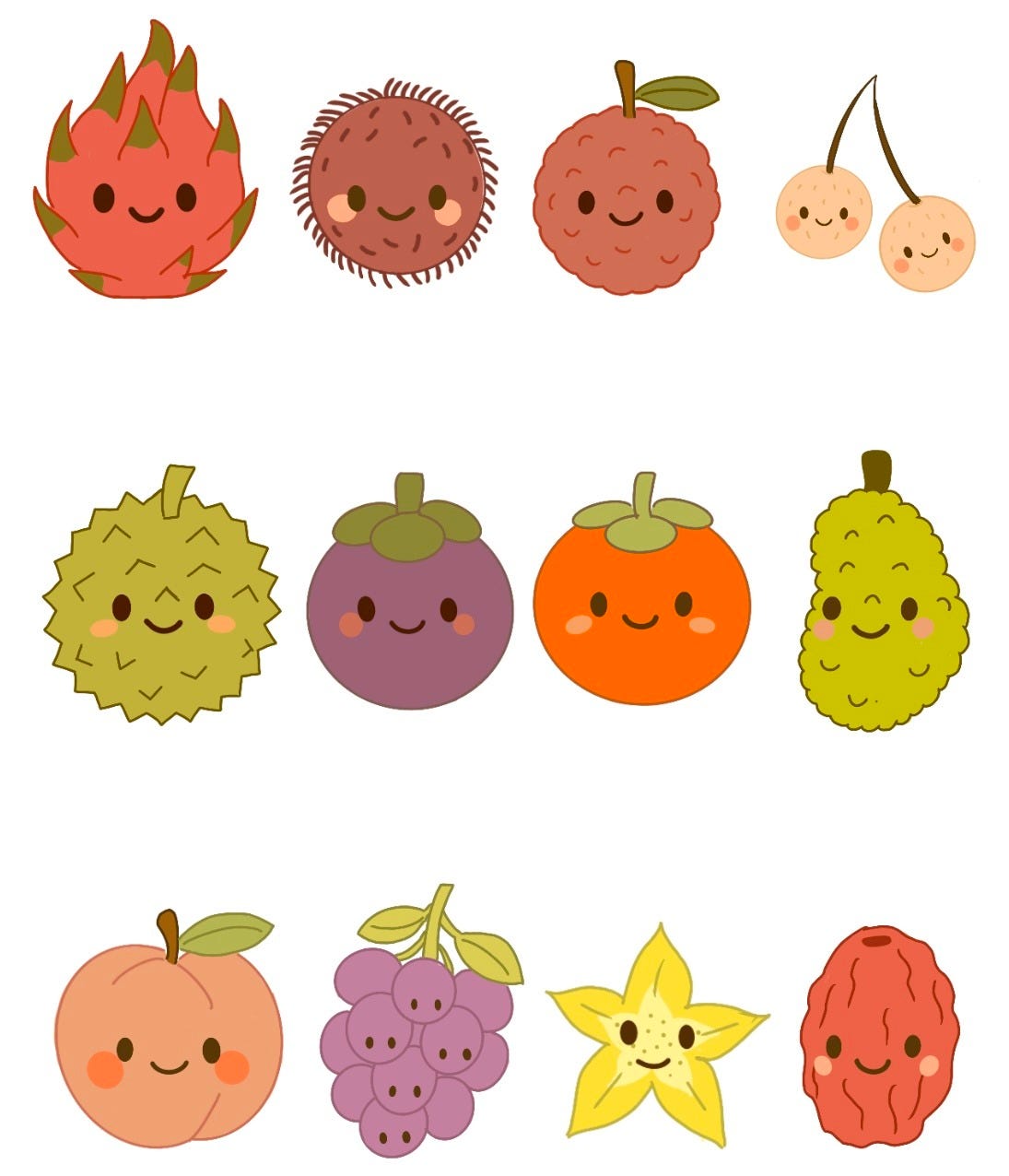
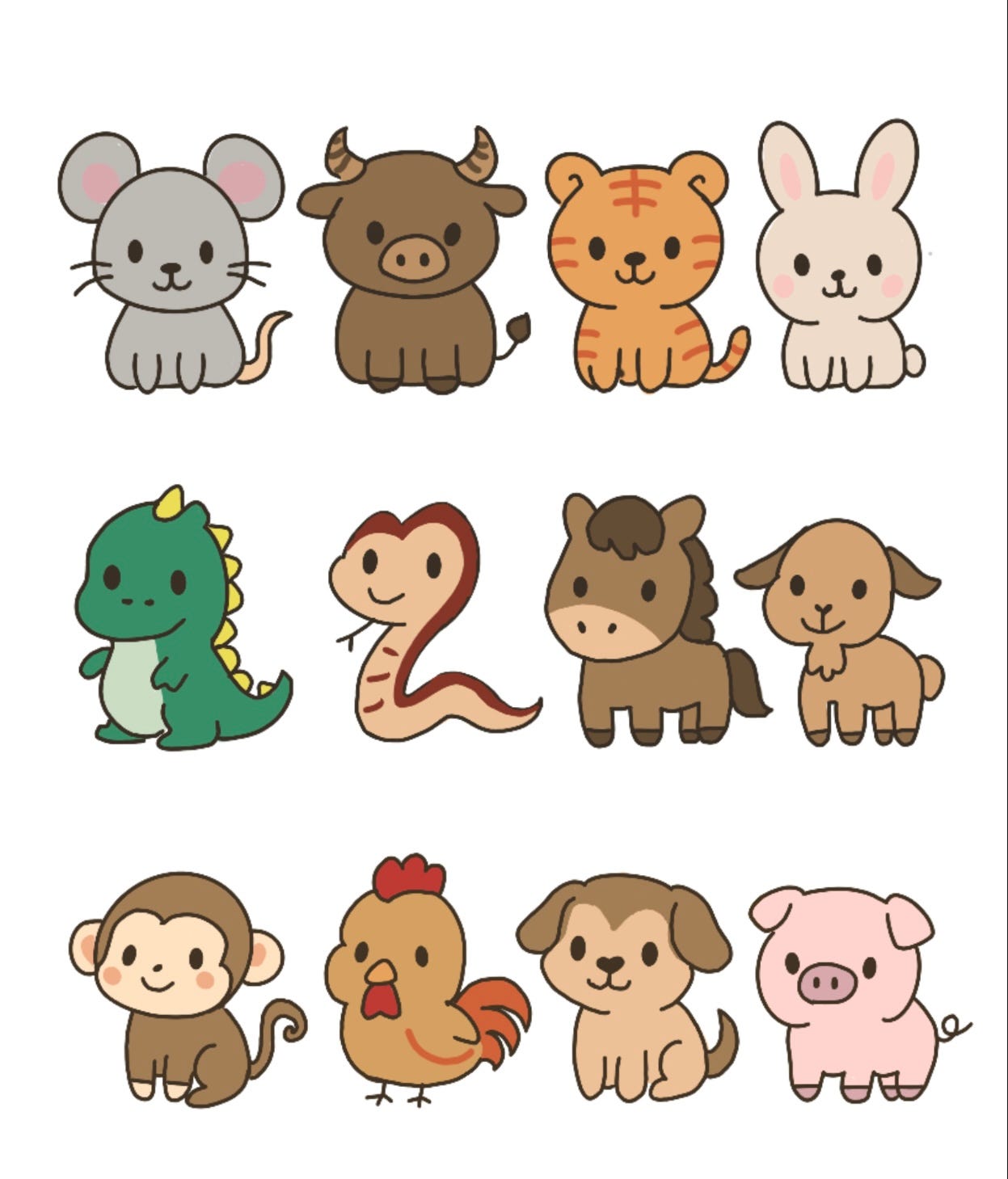
I researched beginner friendly game types and ultimately am choosing a memory matching game. This is because it’s simple and fitting of the 12 fruits I’ve drawn. Each fruit can be one pair for a total of 24 cards per deck. From there I expanded the concept by drawing Chinese Zodiac and Horoscope Signs , both of which also come in sets of 12. Having 3 decks allows users to switch it up if they get bored and feels slightly more customizable.
Design Process
Visuals on Procreate
I illustrated all 36 card faces (12 per deck) in Procreate and wanted to keep the style cute and simple.
After showing the cards to a few friends, many said they were not sure what the fruit or sign was so I later added labels to each card and plan to create a deck preview screen or key card that users can tap to view all the designs with labels before selecting a deck.
Wireframing in Figma
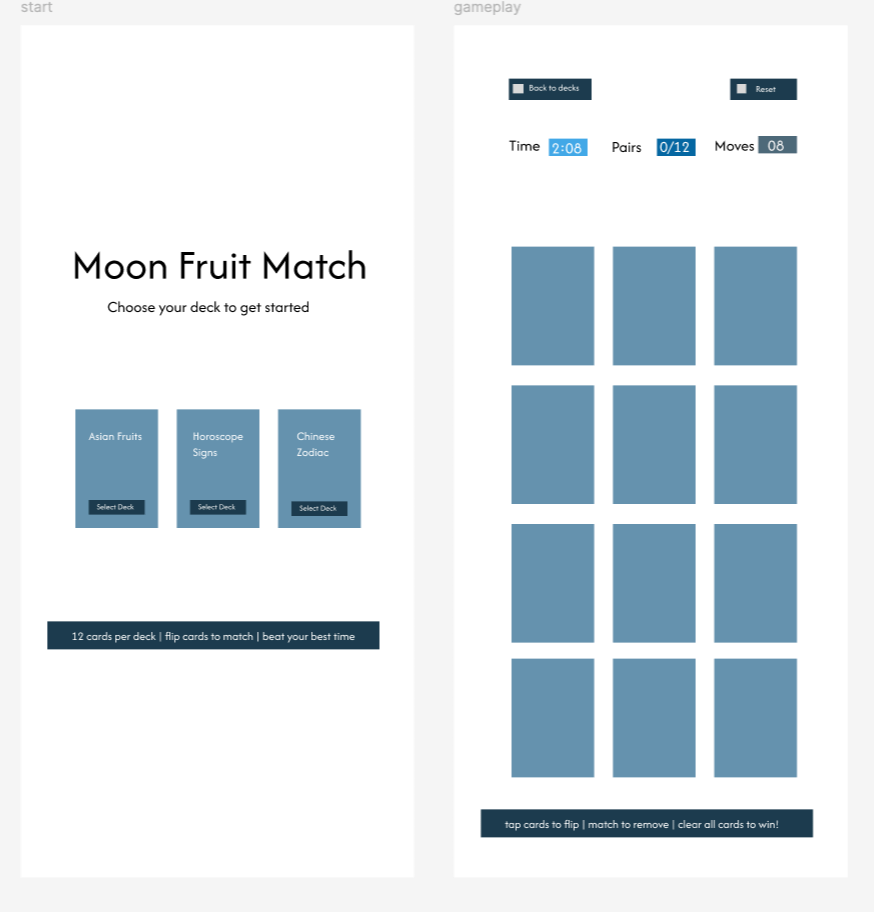
I initially wanted a multi level experience where a user could start with 4 cards and progress up to 24 , as well as offering advanced options like combining multiple decks. However, as I was wire framing , I decided that would be too complex for my first game. So I scaled it down to focus on a single game play screen that features the entire deck all at once.
GamePlay
Since I decided not to include traditional levels, I wanted to find another way to keep users engaged and help them feel a sense of progression. After playing a few card matching games for reference, I landed on tracking time, total moves, and pairs matched. This will encourage users to play multiple times and work to beat their last time.
Development Process -WIP
Adding raw notes until I finish the project, once completed I’ll clean this section up
Day 1
Process
tutorials on unity’s layout and understanding what each part means
watched creators build different kinds of simple games
looked for alternative no code game creation platforms ( tried
Challenges
tutorials felt catered towards creators with some coding background
videos are long and difficult to watch while staying engaged
Reflection
I have bitten off too large of a bite , but there’s no turning back now
my wireframe does not look anything like most people’s ( for example, my start page does not have a “play” button) > I should update this to make it more natural
I felt very tired today, I will download and do more hands on learning tomorrow to prevent fatigue
Day 2

Process
downloaded Unity and started familiarizing myself with platform
followed a couple different tutorials ( non are what I want for my game)
designed backgrounds
sliced all my card sprites
Challenges
can’t find tutorial of game in alignment with my vision
most tutorials are for web based games, so all the dimensions were geared toward webpages , I had to find how to change the layout size and then manually calculate my own layout and sizing for everything
my drawings are not evenly spaced so slicing my sprites for uniform card sizes was time consuming
Reflection
today was more fun because I was doing things hands on which helps me retain information better
I was missing a lot of UI items that would go into designing a game, like background, buttons, and new sprite for when the button is clicked ( i will not focus on design though, I’d like to first create MVP)
I like that Unity is beginner friendly and comes with preset project structures, folders, and default assets
Day 3
Process
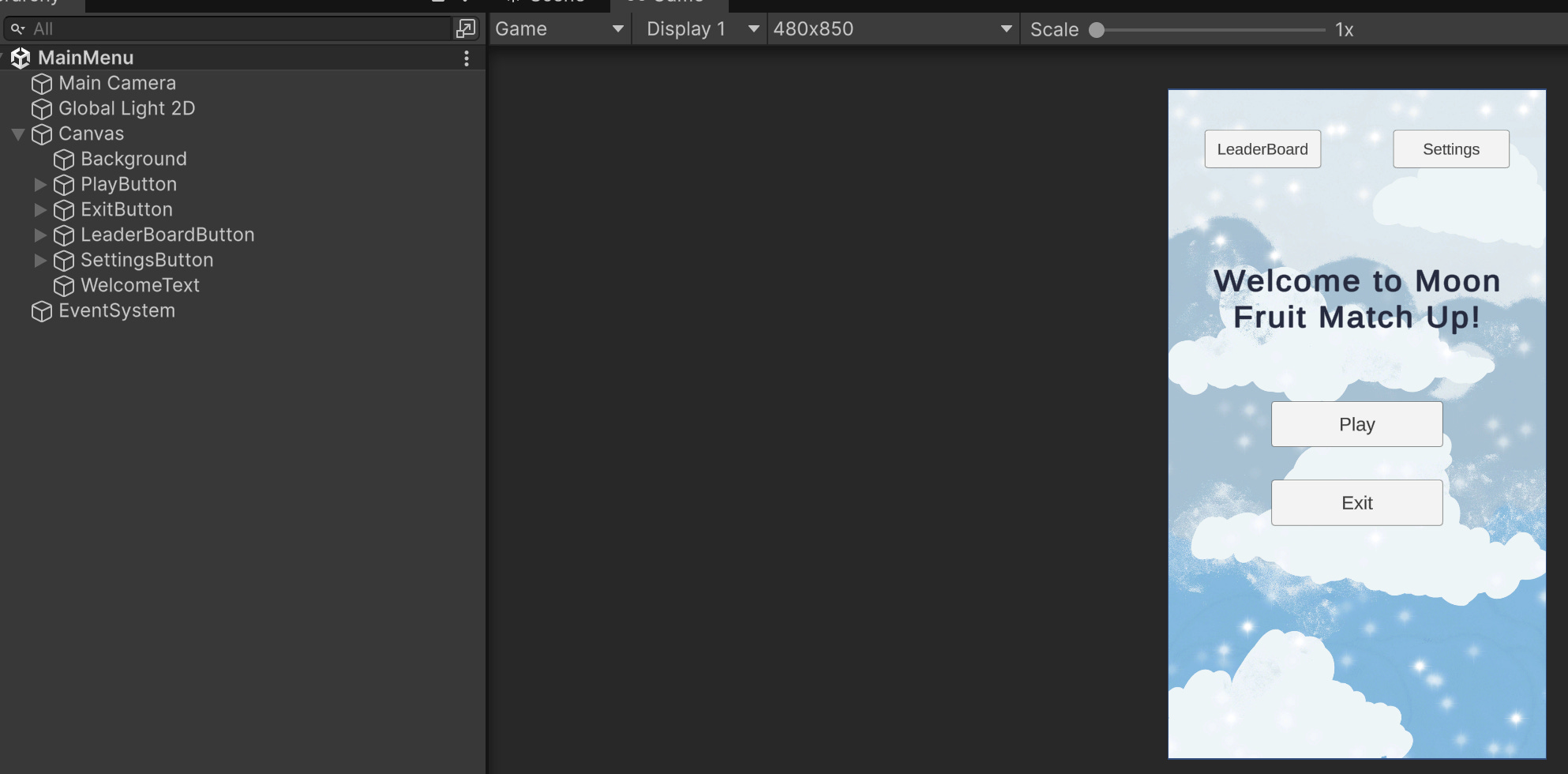
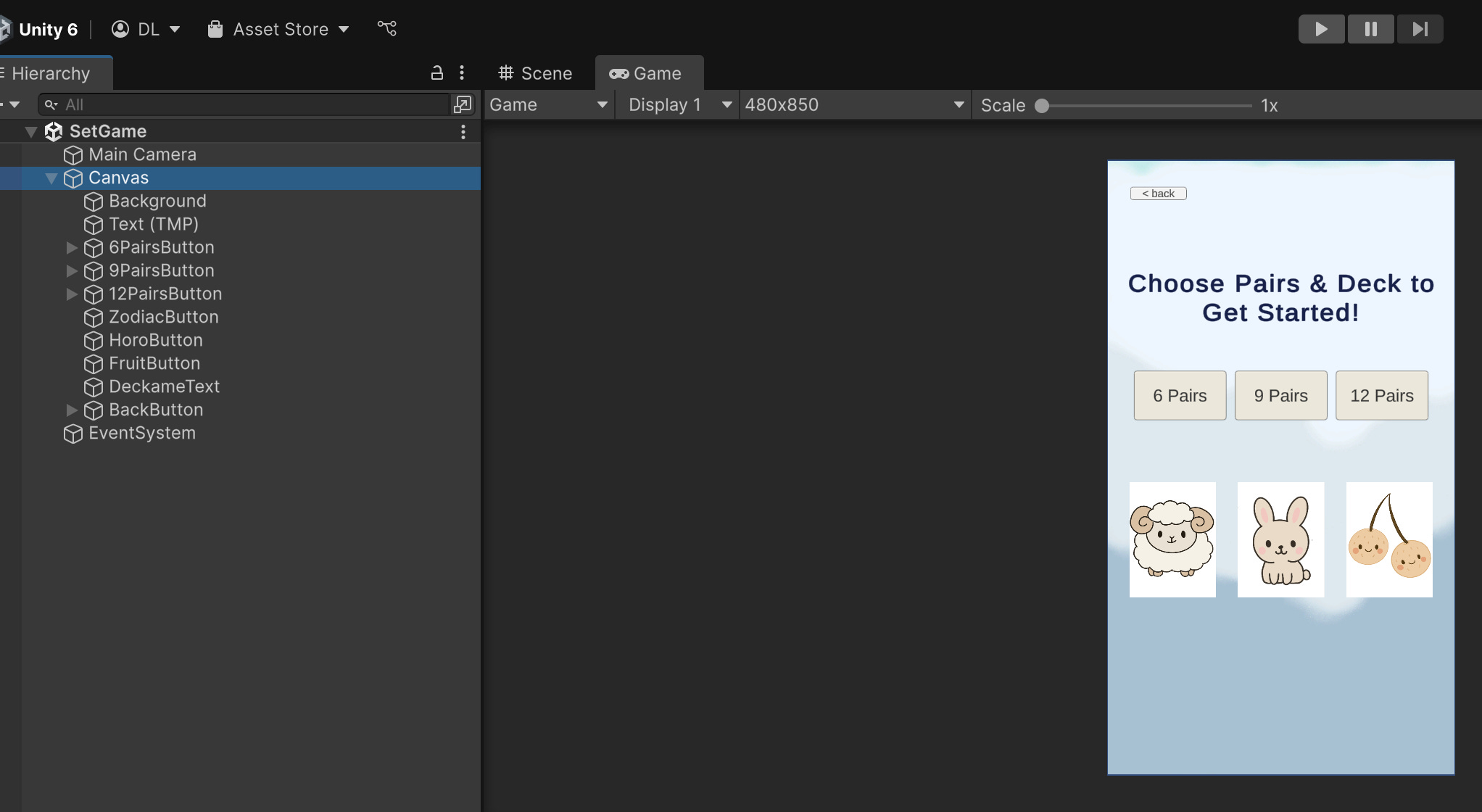
created my first 2 scenes!!
many of the tutorials provided multiple levels, so I decided to add “levels” and let user choose how many pairs they’d like to play with
Challenges
I’m not used to manually saving things, and forgot to save so had to recreate both of these scenes
Reflection
redoing my lost scenes was very disappointing, but it helped me get more practice, and it took me way less time to recreate them > I feel pretty comfortable with simple UI elements now
I should get started with coding but I’m sort of dreading it
I’m definitely not a coder, but I’ve had light exposure to a few languages like creating my tumblr with HTML, SQL for data analysis, and JSON to configure merchant accounts and logs… but yeah, that’s it sooo diving into Unity C# is a bit intimidating
Day 4
Process
started creating my scripts today, I’m following tutorials and using Claude and realized creating category selections was not too difficult so I’m pivoting back to my multi level idea
I’ve set the stage and actions for some buttons
Challenges
spacing my spawn point based on card count
getting my prefabs to enter post click based on category selections rather than being preloaded
Reflection
Need to figure out how to space card set up and get prefab to show image correctly
It’s the holiday weekend so I have a few BBQs I’m heading to and will not be spending much time on this. Hope everyone has a great holiday weekend! ( My 3 subscribers >< thank you to you 3, you are appreciated and my founding members woohoo!!)
Day 5
last updated 07/09/2025
This project is currently on pause while I prioritize other
Implementation
Bugs/ Troubleshooting
Testing
Launch
Learnings
Reflection & Improvements - WIP
In the future, I’d love to
Add user profiles to track personal score and highest scores from community
Let players unlock decks over time ( coffee, wine, plants, dogs, etc.)
Experiment with different vibes and music to enhance the user experience
Add interactive info feature
Zodiac & Horoscopes it would share associated dates and key personality traits
Fruits - share where they’re grown, flavors and how they’re typically eaten
Helpful Resources